

How to add and manage employees in admark.ai
Learn how to invite employees to admark.ai, assign roles, and manage their permissions within the platform.
In admark.ai, you can collaborate with your team by adding employees and assigning them specific roles to manage content, publishing, moderation, and more.
This guide will walk you through the process of:
-
Accessing the Administration area
-
Inviting a new employee
-
Understanding and assigning user roles
Step 1: Open the Administration Panel
Section titled “Step 1: Open the Administration Panel”-
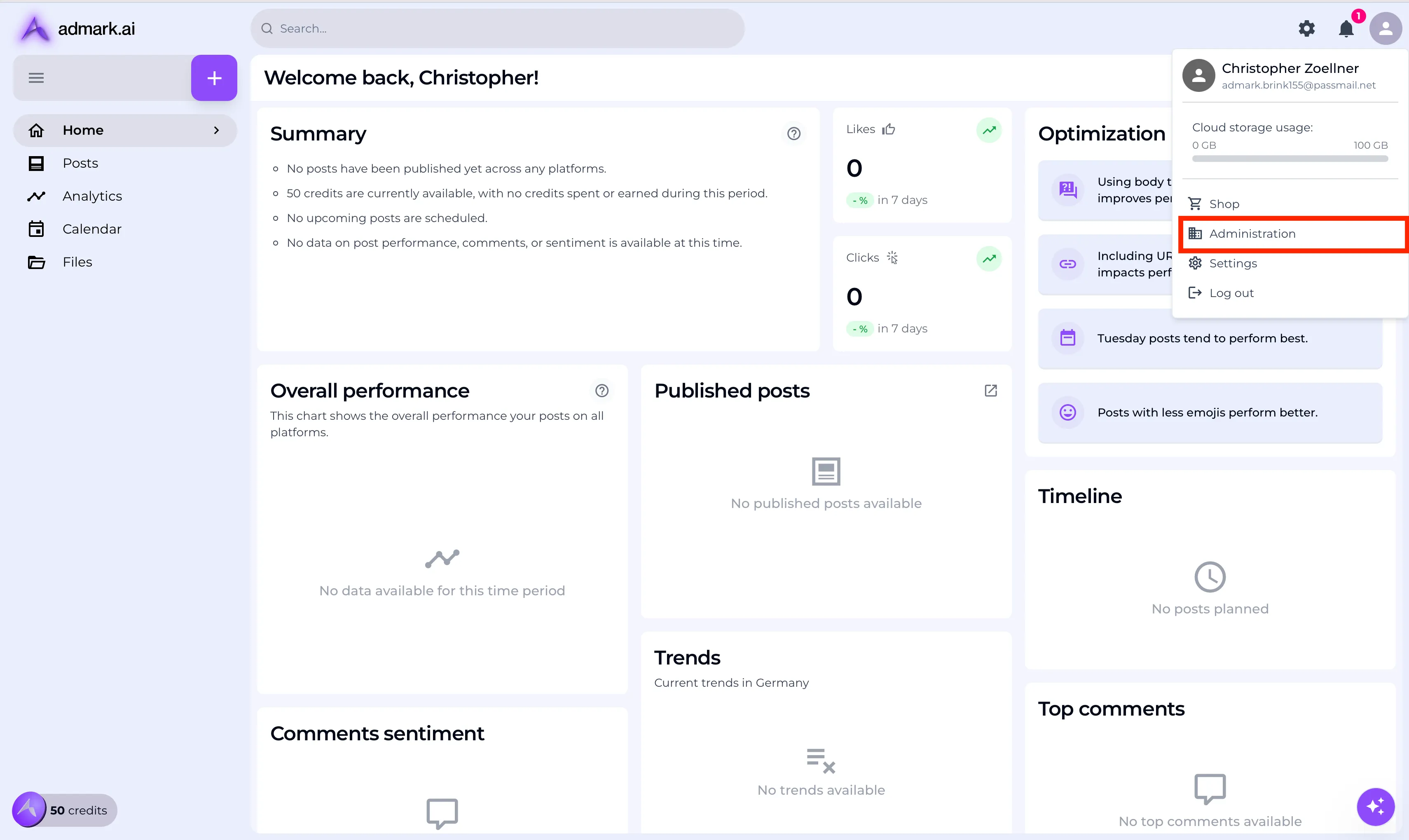
From the top-right of the dashboard, click on your profile picture or initials.
-
Select Administration from the dropdown menu.
Step 2: Invite a New Employee
Section titled “Step 2: Invite a New Employee”-
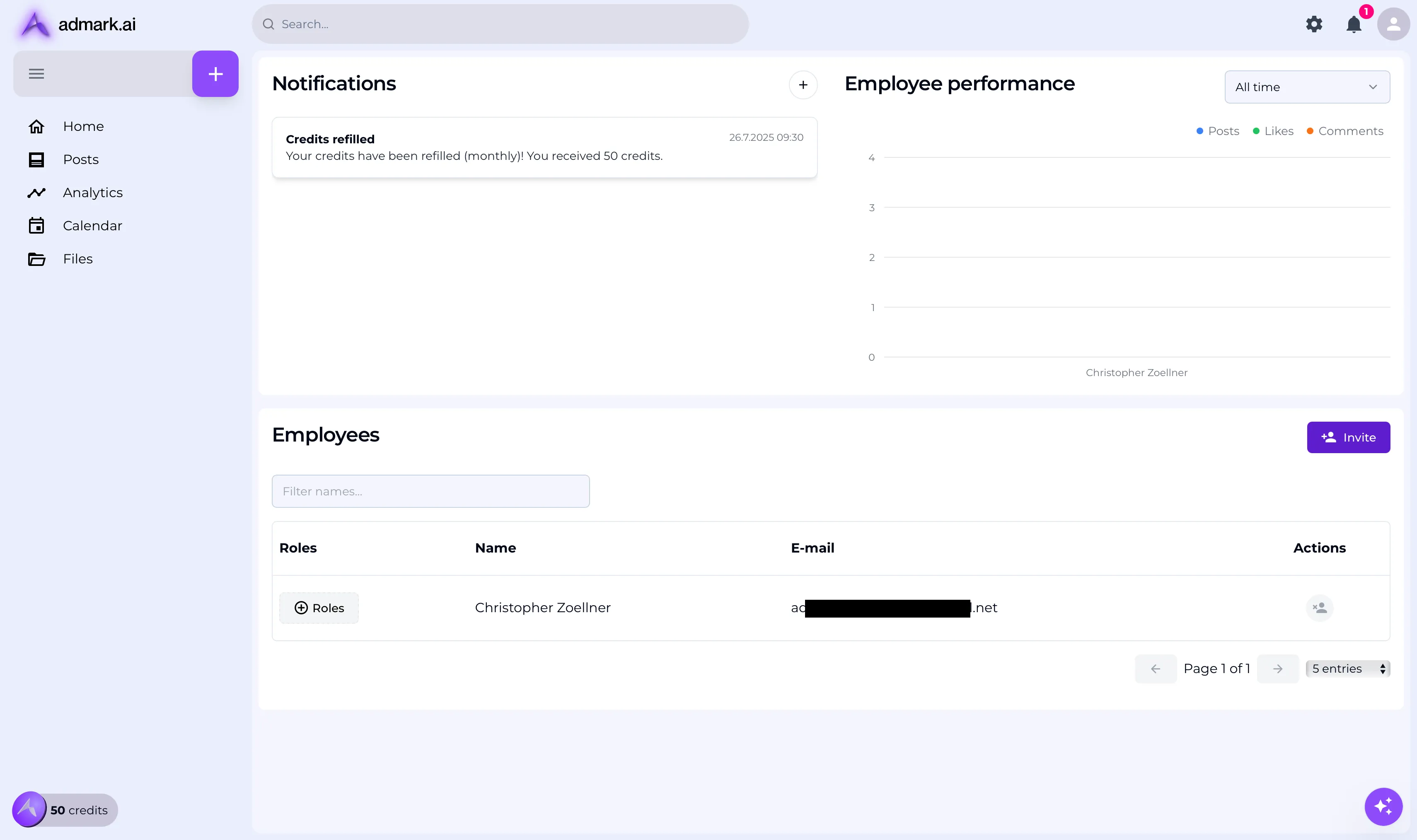
In the Administration section, click on Invite.
-
Enter the email address of the person you’d like to invite.
-
Click Send invitation. The invited employee will receive an email to create their account.
💡 Tip: Make sure they register using the link in the email they received to avoid conflicts.
Step 3: Assign Roles to the Employee
Section titled “Step 3: Assign Roles to the Employee”Once the invited user creates their account and fills out their profile:
-
Go back to the Administration area.
-
Find the user in the list and click Assign role.
-
Choose from the following roles:
-
Content Creator – Can draft new posts.
-
Corporate Voice – Represents the company’s tone in generated content.
-
Editor – Can edit posts before publishing.
-
Publisher – Can publish content to social platforms.
-
Manager – Can manage comments, reply to feedback, and moderate engagement.
-
Additional roles may be available based on your subscription or setup.
-
Troubleshooting Tips
Section titled “Troubleshooting Tips”-
📧 Didn’t receive the invite? Check spam or try resending from the Administration panel.
-
🔄 Employees can update their profile later to improve AI-generated content quality.
-
🔐 Role-based permissions ensure that each employee only sees and interacts with relevant tools.
Need Help?
Section titled “Need Help?”If you have any issues inviting or managing team members, contact [email protected].