

How to generate and publish posts with admark.ai
This guide walks you through the steps of creating, generating, and publishing social media posts using admark.ai.
Using admark.ai, you can effortlessly create, customize, and schedule posts across multiple social media platforms.
This guide will walk you through the process of:
-
Starting a new post
-
Configuring metadata and content generation
-
Adding media to optimize your post
-
Publishing your post on connected platforms
Step 1: Start a New Post
Section titled “Step 1: Start a New Post”-
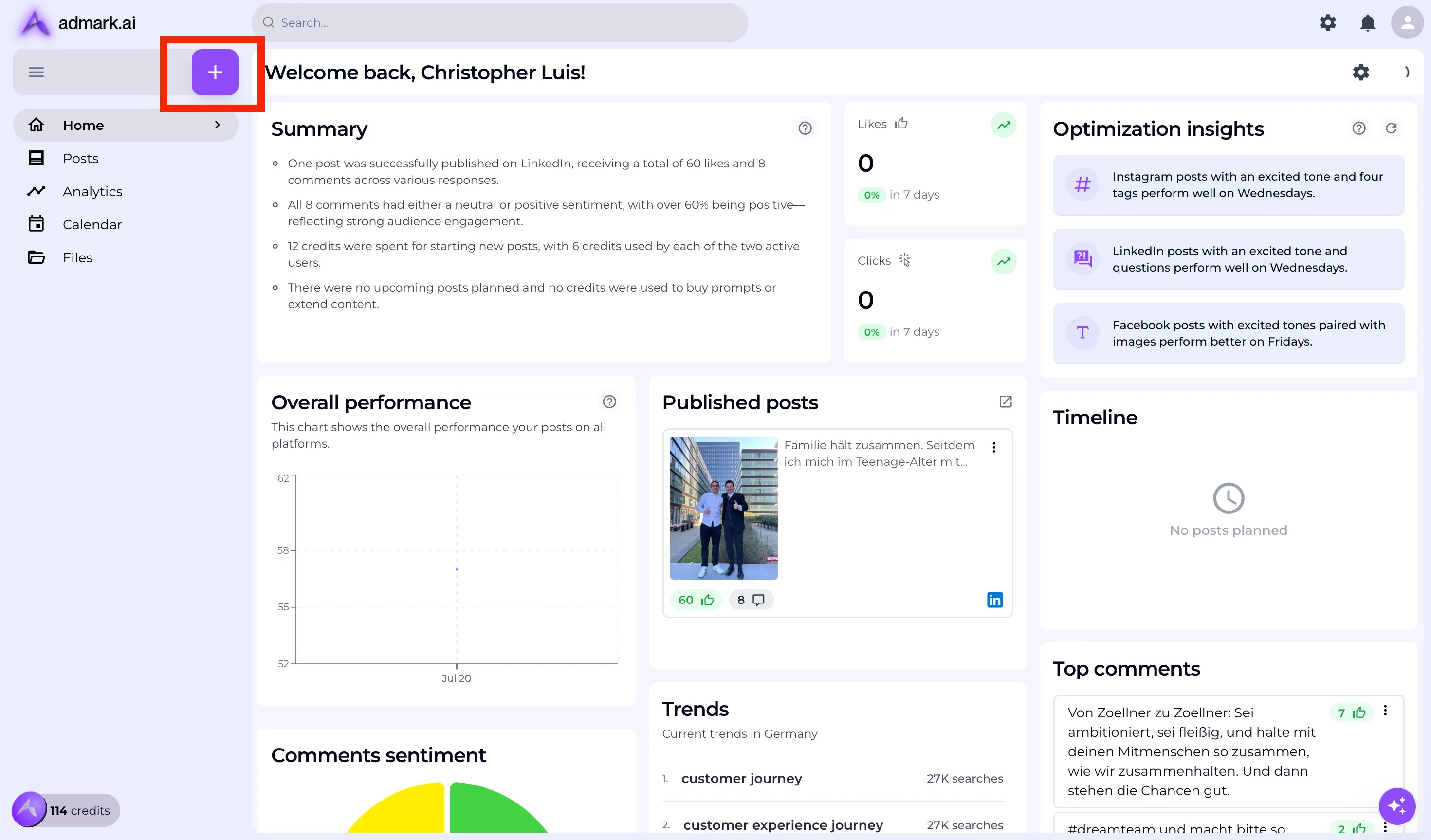
Log in to your admark.ai dashboard.
-
Click the + (plus icon) to create a new post.
Step 2: Add Metadata and Generate Content
Section titled “Step 2: Add Metadata and Generate Content”-
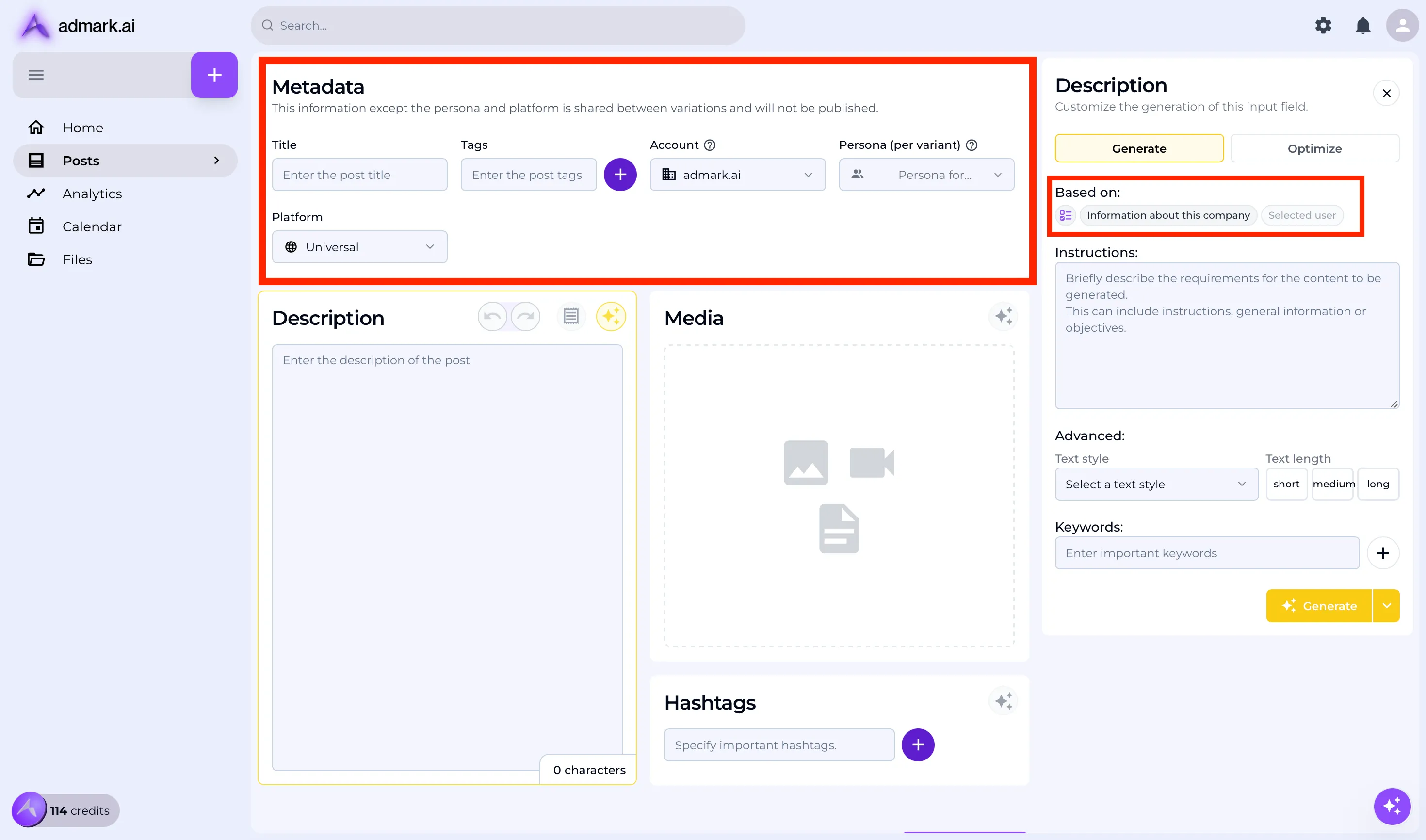
Select the account and person or platform (optional) for which the post is intended.
-
Add a brief prompt or description of what the post should contain (e.g. “Please introduce [your company name]”).
-
Choose a generation method: Content can be generated based on company information, a specific prompt, a custom folder or internet results.
-
Click Generate to let the admark.ai create the post text.
💡 Tip: You can customize and refine the prompt to get the exact tone or message you want and optimize the content for your target audience by clicking on the Optimize tab.
Step 3: Add Media and Preview the Post
Section titled “Step 3: Add Media and Preview the Post”-
Once the text is generated, click on the Media section.
-
Upload or select images, videos, or graphics to enrich your post.
-
Use the preview section to review and adjust layout, text, or media as needed.
Step 4: Publish the Post
Section titled “Step 4: Publish the Post”-
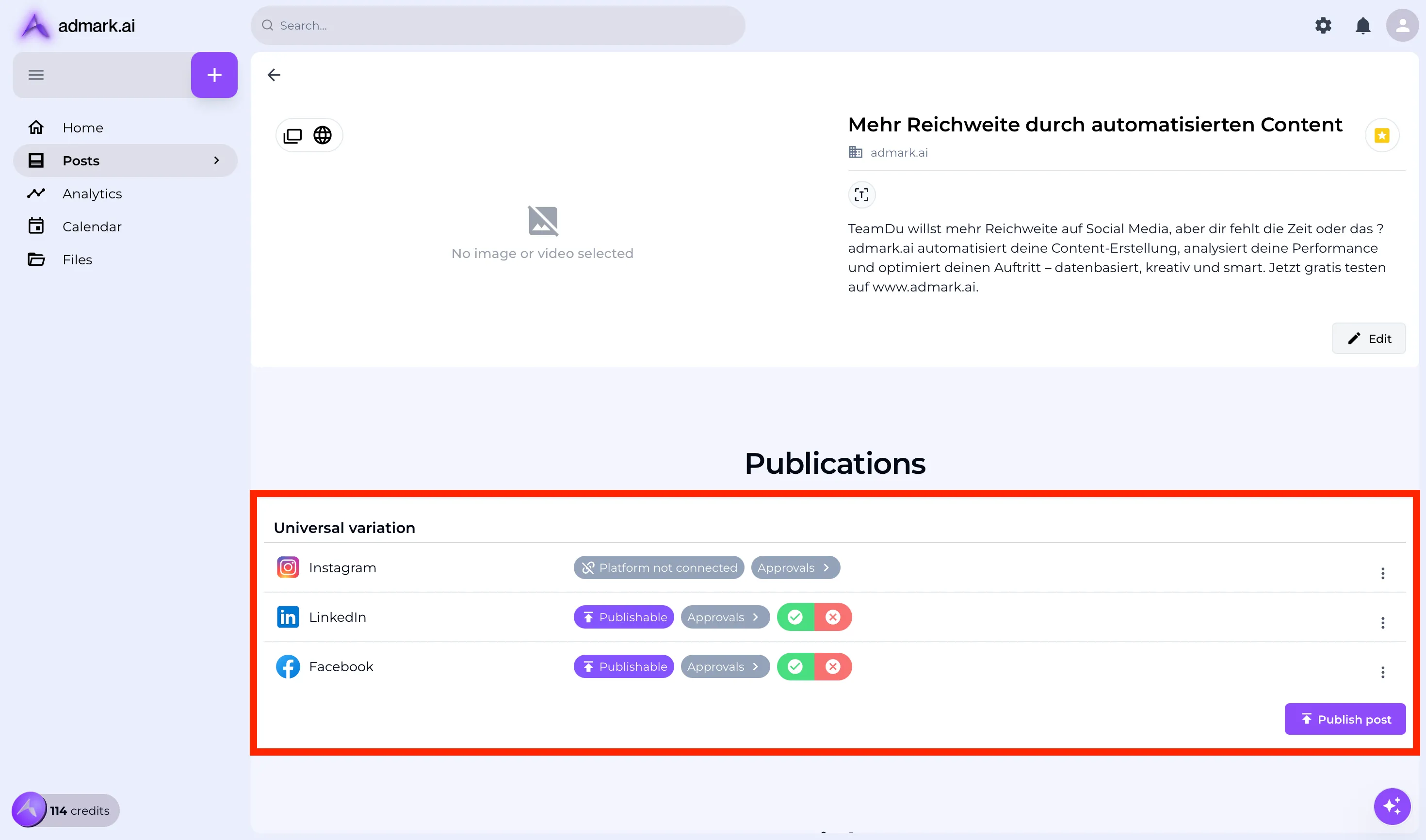
Click on the Save/Overview Button to see a final preview of your post.
-
Scroll down & select the platforms (e.g. LinkedIn, Instagram, Facebook) where you want the post to go live.
-
Click Publish to immediately post, or schedule it for a later time.
✅ Note: Make sure your social accounts are connected in the Settings section beforehand.
Troubleshooting Tips
Section titled “Troubleshooting Tips”- 🔄 If content generation fails, try simplifying or rephrasing your prompt.
- 📸 Ensure all media files meet platform guidelines (e.g. image size or format).
- ⚠️ If publishing doesn’t work, re-authenticate your social accounts in the settings.
Need Help?
Section titled “Need Help?”For additional support, reach out to our team at [email protected].